
For shoppers, not for screens
A grocery list made for the aisle.
Stop texting lists back and forth. Cartio is the grocery list your whole family can read — sorted by aisle, totaled as you go, ready to share in a tap. No account, no fuss.
Free · no account required · iOS & Android
Why not Notes?
Your Notes app doesn't know the difference between Dairy and Bakery.
A grocery list isn't really a note. It's a route through the store, a running total, and a thing you tick off one-handed. Cartio is built for that — Notes isn't.
Features
Built for the way you shop.
Big hit targets, glanceable typography, single-thumb operation. Cartio stays out of the way so you can keep your eyes on the shelf.
Lists by aisle
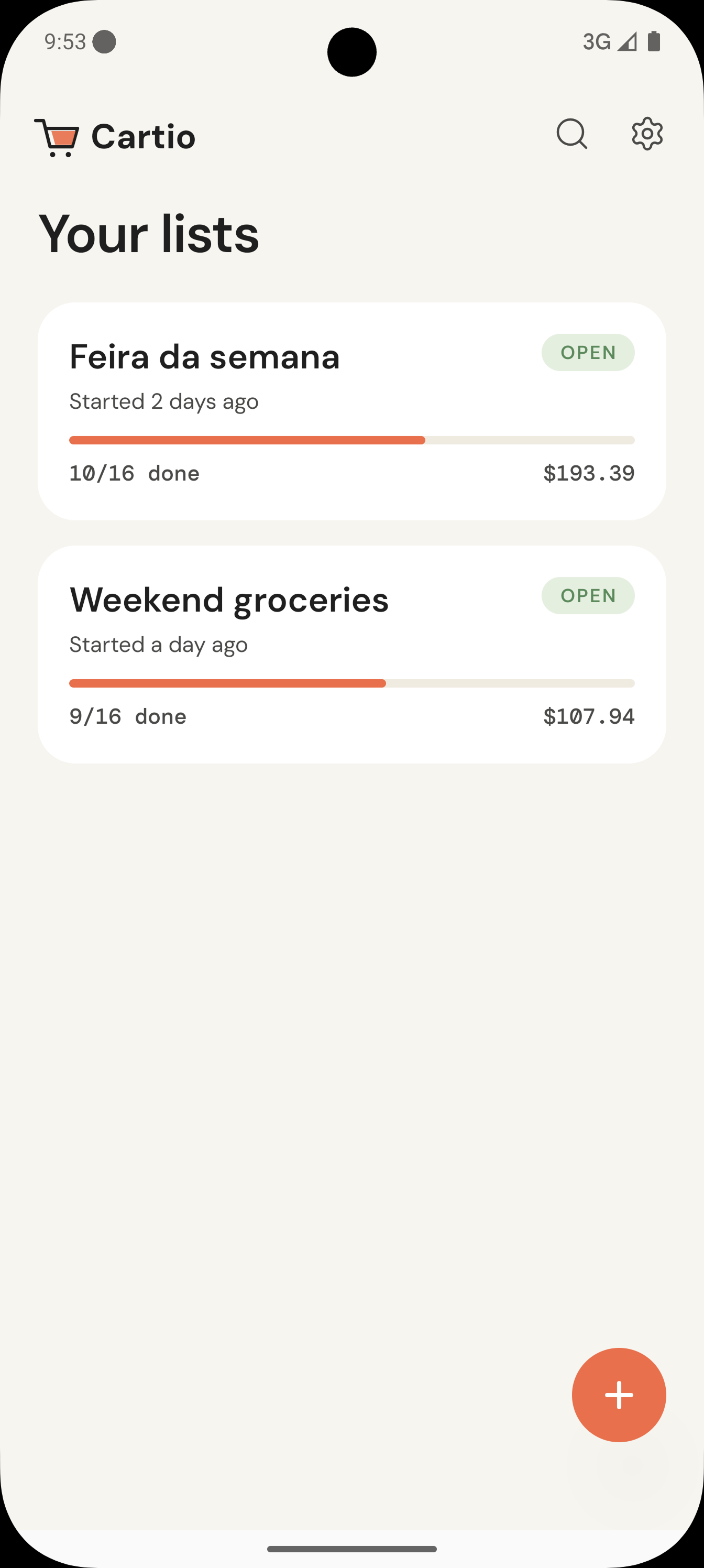
Group items by category — produce, dairy, bakery — so you walk the store once.
Prices that add up
Set a price and quantity per item. Cartio totals everything in your currency, in real time.
Drag to reorder
Drag items into the order you'll grab them. Your list, your aisle order.
Share with the family
Send a list to anyone via your phone's share sheet — formatted as plain text. No invites, no logins.
Languages & currencies
English and Portuguese, plus your local currency and date format — all from settings.
Closed-list archive
Finished a shop? Close the list. Cartio keeps a tidy archive so you can copy it next week.
How it works
From the kitchen to the cart.
Three steps. No tutorial needed.
Build your list
Add items, set prices and quantities. Cartio sorts them into categories so you know where to find them.
Walk the store
Tap to check off as you go. Big targets, mono prices, one-thumb operation. The total updates as your cart fills.
Close it out
Wrap the list when you're done. Reopen any closed list later and copy it into a fresh one.
In the wild
A look inside.
Produce, dairy, bakery — items snap into the categories you'll actually walk through.
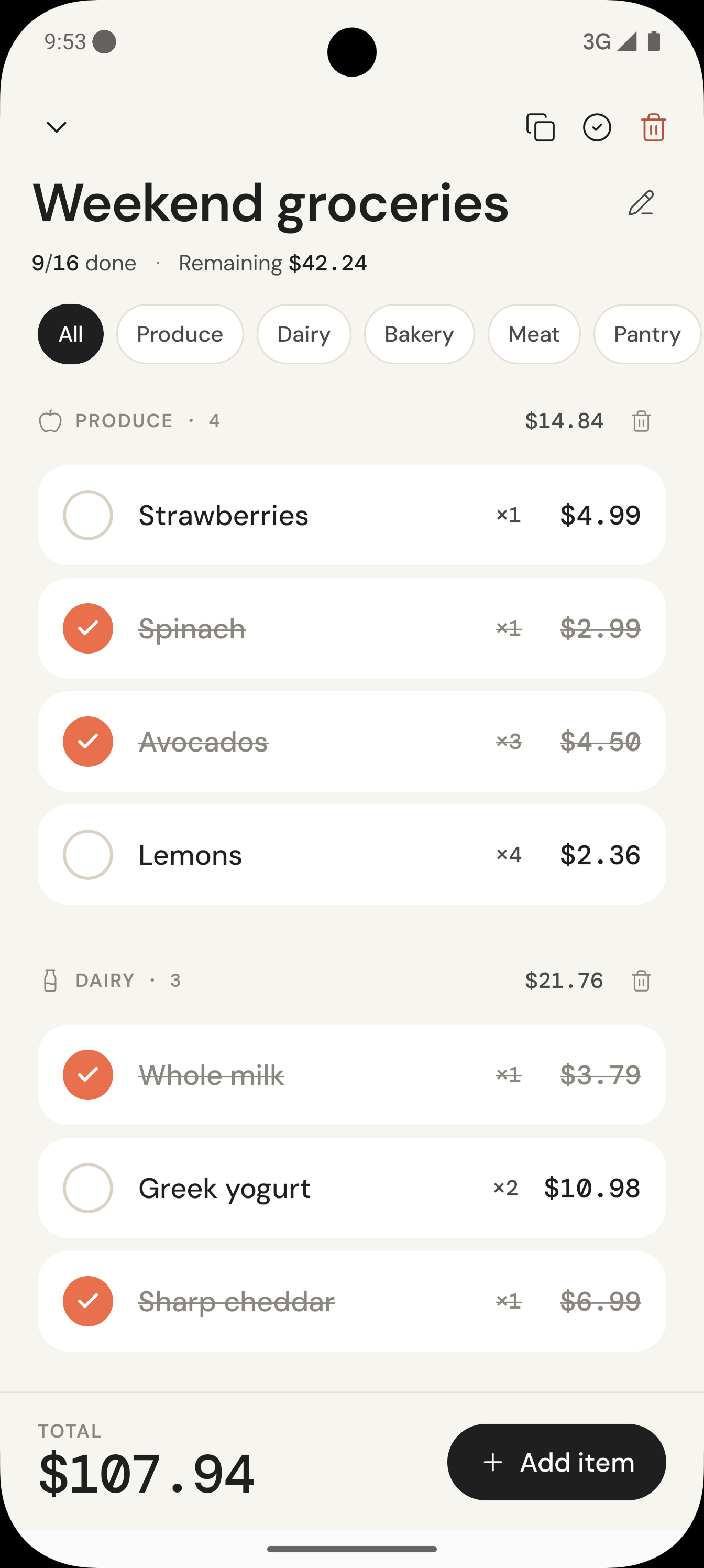
Tap once to add, set a price, set a quantity. Cartio totals it all while you shop.
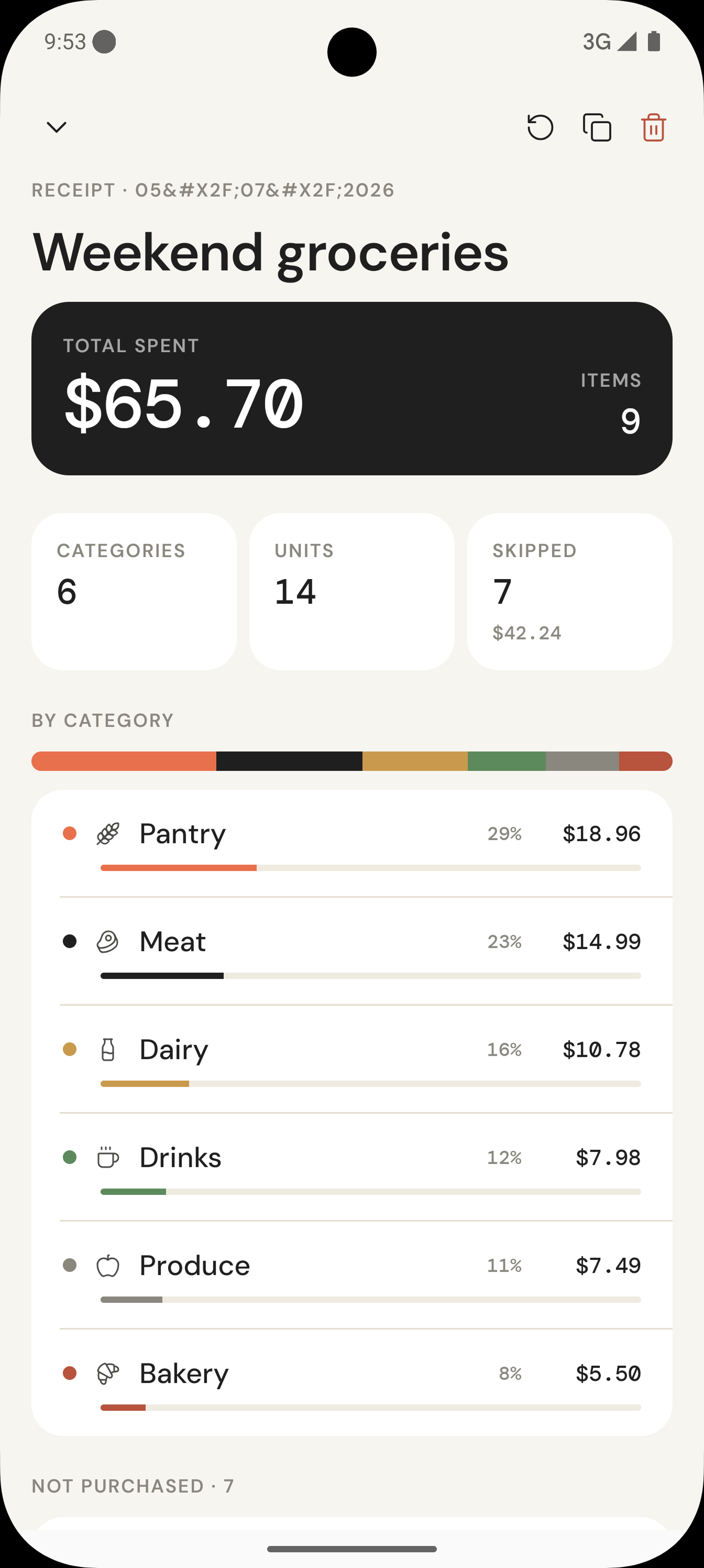
Finished lists land in a tidy archive — copy any of them into a fresh one in a tap.
From the beta
Loved by people who hate grocery apps.
Early notes from our beta testers. Placeholder copy — replace with real quotes before launch.
“I've tried six list apps. This is the first one my husband actually uses — because there's nothing to log into.”
“The running total saved me from a €40 surprise at checkout last Saturday. I'm not going back to paper.”
“Aisle order is the feature I didn't know I needed. I walk the store once now, not three times.”
Pricing
Free forever. Pay once to remove ads.
No subscription. No paywall on features. The list app stays a list app.
Cartio
$0Always free, with banner ads
- Unlimited lists and items
- Categories, prices, quantities
- Drag to reorder, share lists
- Closed-list archive
- All languages and currencies
Remove ads
~$4.99One-time. Price set by your store.
- Everything in Free
- No banner ads, ever
- Pay once — never again
- Restore on any device with the same store account
- Supports a small indie team
FAQ
Questions, answered.
Do I need an account?
Where are my lists stored?
How does Cartio Pro work?
I bought Pro on my old phone — can I get it back?
What languages does Cartio support?
Can I share a list with my family?
How do I report a bug or request a feature?
Take Cartio to the store.
Free to download. Free to use. Pay once to remove ads if you ever want to.